The thought, now a task
Less to keep remembering.
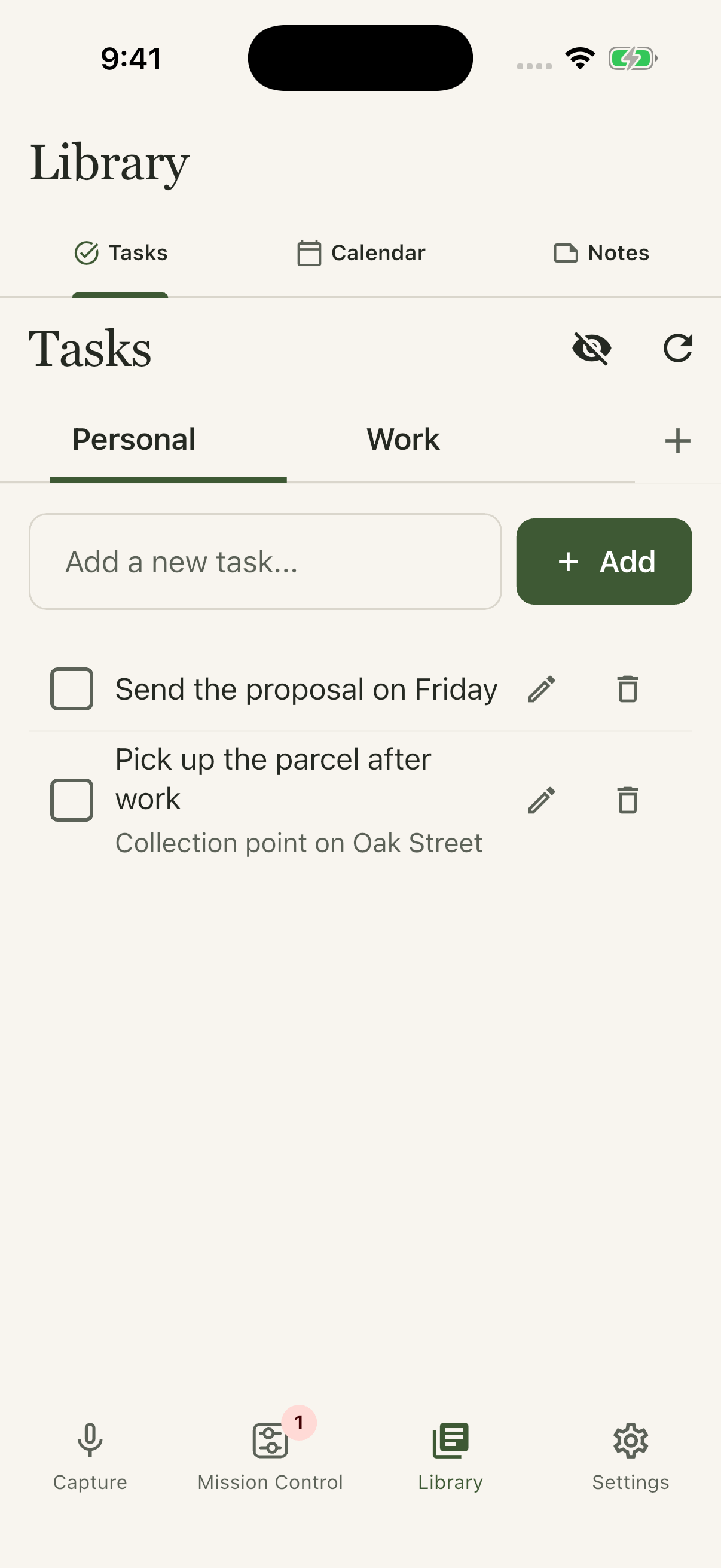
The proposal. The parcel. The table for Friday. Find your lists in one place and mark things off as you go.
A thought, before it gets away.
Capture a thought by voice, text or photo. Turn it into a task, with your lists and calendar in reach. See what needs attention in Mission Control.
Request private accessAvailable through private testing.
Multilingual voice transcription.

01 / A thought, carried through
Enable automatic processing to turn queued captures into tasks. Mission Control shows progress and brings items needing attention into view.
Automatic processing OFF by default
Interactive example. Sample data; nothing is recorded or sent.
“Send the proposal on Friday.”
Automatic processing can turn a clear capture into a task. Items needing attention remain visible.
Send the proposal - Friday
Captured thought
“Send the proposal on Friday.”
One thought. Ready for a closer look.
A simplified illustration, not a live app session. In the current app, automatic processing is opt-in; manual review remains available.
02 / Inside Finally Done
Speak while it is fresh. Multilingual transcription turns your voice into text. Or start with a photo or a few typed words.
Mission Control keeps processing, completed work and items needing attention in view.

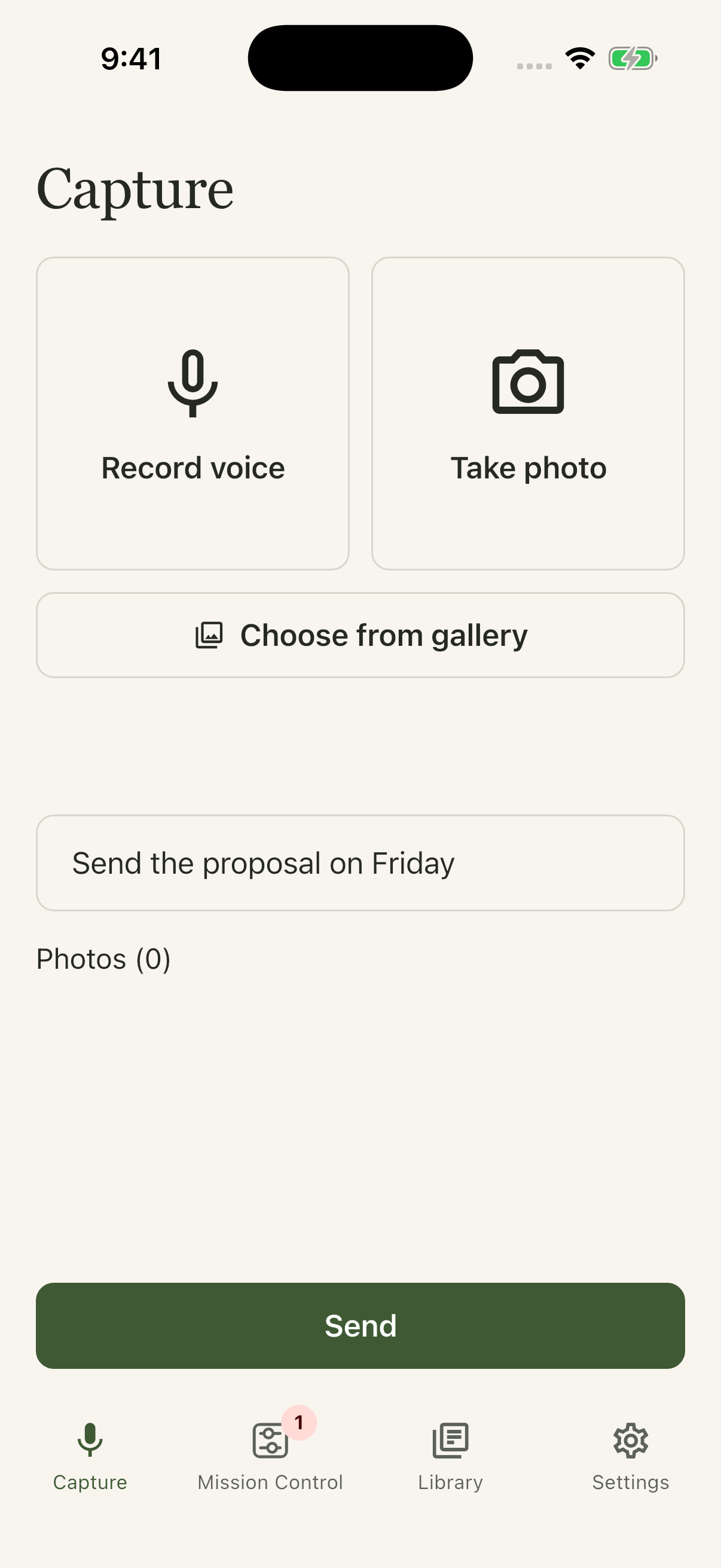
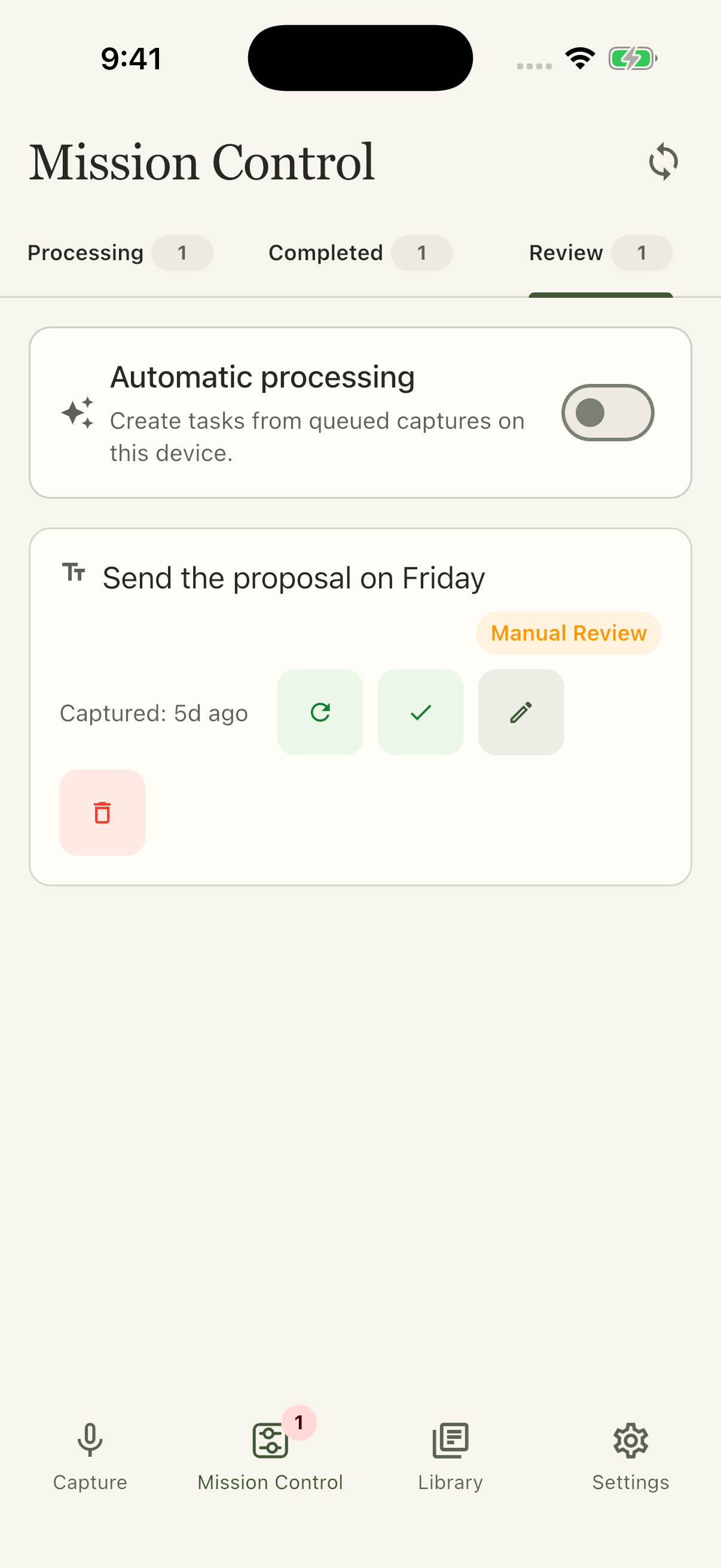
Captured in the iOS Simulator using the app's real screens and example data.
A place to come back to
The Library brings tasks, calendar events and notes within reach. Less switching around when you need to find the next thing.
The thought, now a task
The proposal. The parcel. The table for Friday. Find your lists in one place and mark things off as you go.
See upcoming events in your primary Google calendar. Create an event or delete one, without leaving the app.
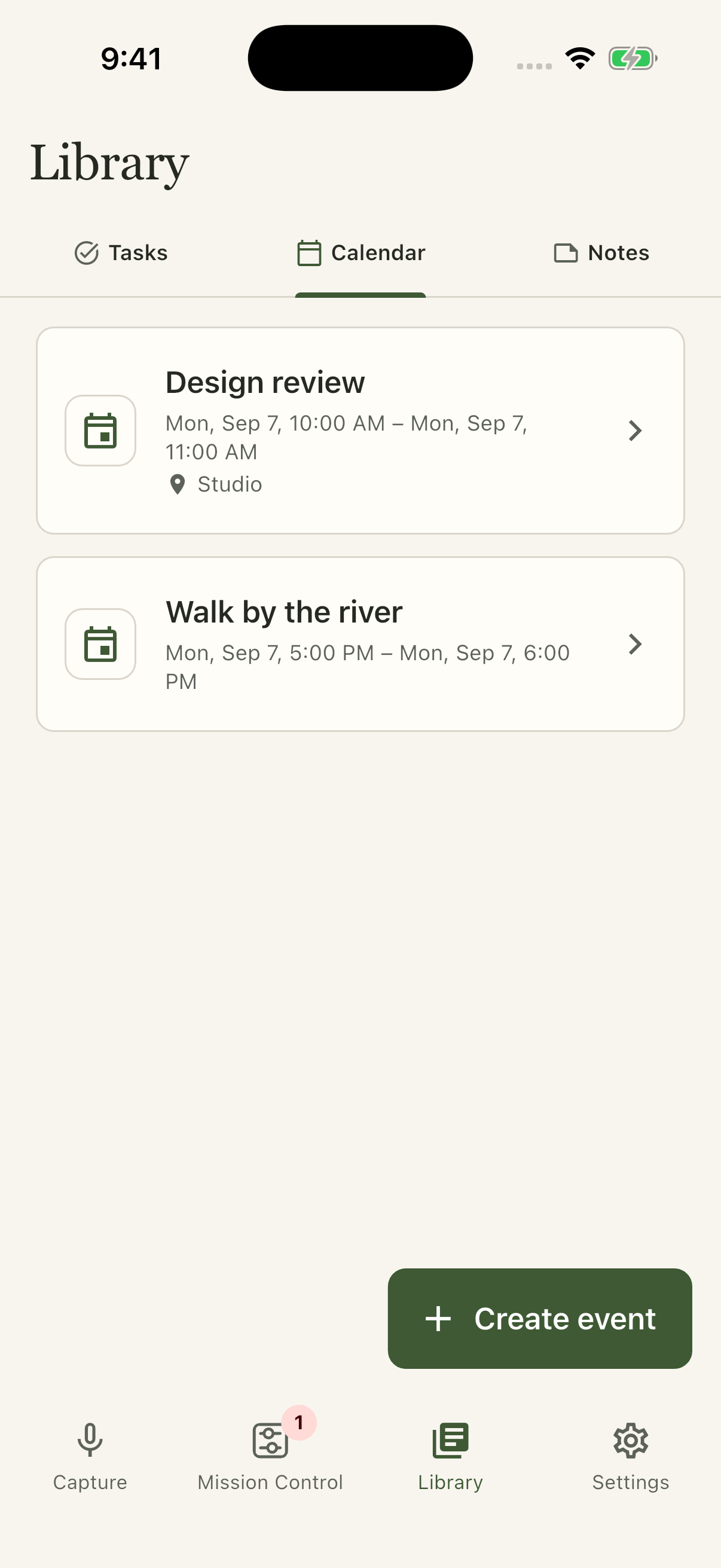
Complete app screenshots, captured in the iOS Simulator with example data. These illustrate the interface, not a live Google connection.
Your connections, your choice
Your thoughts belong with the tools you use. Start with these supported connections, available from Settings.
More connections are coming.
Your lists. Your next steps. Create, edit, complete and delete tasks.
Your time, in view. See upcoming events, create new ones and delete events in your primary calendar.
Choose either connection or both. Manage your connections in Settings.
Stay in control. Disconnect in the app or revoke access from your Google Account. Google user data is not used to train generalized AI models.
Private testing
Tell us which device you use and what you would like to try. We will confirm availability, installation steps and testing terms before you join.
No public download yet. Start with an email.
Request private access ↗Or use your preferred email service:
support@finallydone.appFinally Done is operated by Finally done, MB.
Before you try it
Finally Done is in private testing. The screenshots on this page show the iOS app in a simulator. Email us with your device; we will confirm supported testing options and any terms or costs before you join. This page does not offer a public download or a published pricing plan.
No. Google Tasks and Google Calendar are separate connections you choose in Settings. Connect either or both when you want to work with your existing lists and primary calendar. See what each connection accesses.
Automatic processing is off by default. You can enable it in Mission Control to create tasks from queued captures on that device. Mission Control keeps processing, completed work and items needing review separate, so you can see their state.
Voice transcription is multilingual, not limited to the app's English and Lithuanian interface options. Accuracy can vary with language and recording quality. Review the transcript before relying on names, dates or other important details.
Submitted audio is processed by Google's Gemini API for transcription. Audio and app content may be stored in cloud services to synchronize captures. Disconnecting Google does not delete existing tasks or events. Read about processing, retention and deletion requests.